
Using the Preferences Panel
Application preferences such as chord editor font and font size, and bass, piano, and drums patch parameters are set in the preferences panel.
The preferences panel can be opened by choosing MyJazzBand > Preferences.... It consists of four “tab panels”: Chord Editor, Bass Patch, Piano Patch, and Drums Patch.
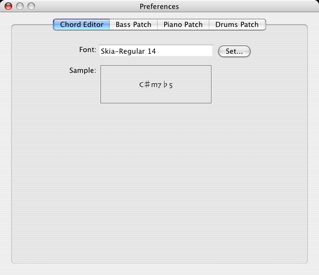
The Chord Editor tab panel lets you choose the font and font size used for displaying and printing lead sheets.
The Bass Patch, Piano Patch, and Drums Patch panels let you specify the MIDI device, MIDI channel, and patch for playing the bass, piano, and drums, respectively. They also let you specify the volume and pan of these instruments, and an optional transposition up or down an octave.
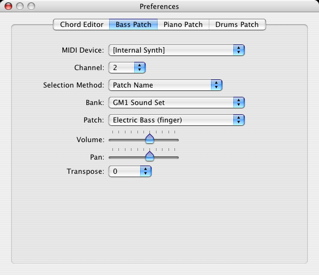
The MIDI device and channel for playing the bass, piano, or drums can be selected in the MIDI Device and Channel popup menus, respectively.
The choice [Internal Synth] is always available in the MIDI Device popup menu and refers to the CoreAudio internal DLS synthesizer, a General MIDI synthesizer whose output goes to the Mac speakers. By default, MyJazzBand uses [Internal Synth] for all three instruments. Therefore the program can be run on a Mac without any external MIDI interfaces and devices connected.
For information on how to select patches, see Selecting Patches.
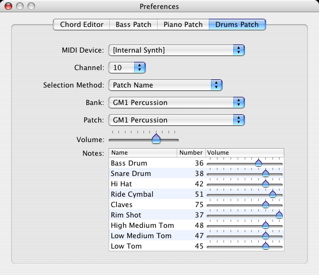
The Drums Patch panel also contains a table in which the MIDI note numbers and relative volumes of individual drum instruments are specified. To change a volume, simply drag the pointer of the slider. To change a MIDI note number, double click on it and type in the new value.
Next: Selecting Patches, Previous: Using Audio MIDI Setup, Up: Help Topics.