MIDI Programs
MIDI File Player (External Device)
MIDI Destination Pop-Up Button
Other Programs
Cocoa Sample Programs
Syntax Coloring Using Flex
Algorithms
Jazz Chord Analysis as Optimization
A blog where I will write mostly about programming in Cocoa and CoreMIDI, and experiences from my ports of Emacs and XEmacs to the Mac OS.
| Bank Selects and Program Changes from Patch Names |
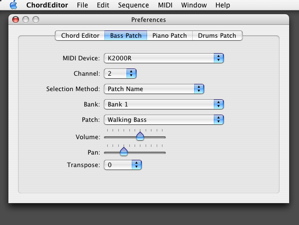
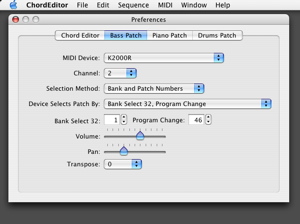
Today I worked on code to translate patch names in MIDI Name Documents to the corresponding bank selects and program changes. Suppose “Walking Bass” in “Bank 1” is selected on the K2000R:
| Rearranging Subviews in Interface Builder while Preserving Connections |
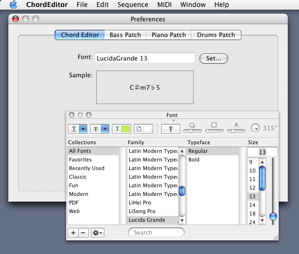
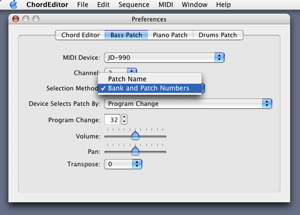
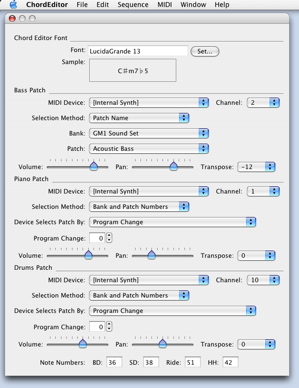
Here’s the current look of my Preference Panel. It’s simply yesterday’s layout rearranged in a NSTabview with four tab view items. The Piano Patch and Drums Patch items are similar to the Bass Patch item and are not shown.
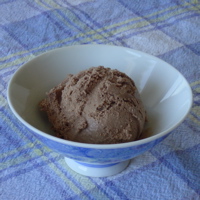
On another note, in July I wrote about my attempt to propagate dieffenbachia from tip cuttings. I want to show a picture of the result. It’s quite amazing the amount of new roots that have grown in two and a half months. Time to transfer the plants into bigger pots!

| Preference Panel With Patch Selection Controller |
Here’s a peek at my Preference Panel. It requires some more programming to be fully functional. There are too many controls in a single panel at present. I’ll probably put each section in a tab view item in the final version.
| Deer! |
Saw this doe out with her two babies two weeks ago.


| NSWorkspace Services |
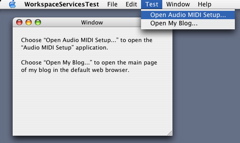
I need a way to launch Audio MIDI Setup from my MIDI application. After a little searching around, I found the launchApplication method in the Cocoa class NSWorkspace. It is very easy to use and a single statement does what I need:
[[NSWorkspace sharedWorkspace] launchApplication:@"Audio MIDI Setup"];Notice that this method does not require one to specify where the “Audio MIDI Setup” utility is! The
NSWorkspace class also provides an openURL method, which opens a URL in the default browser. Here’s how it is used:NSString *stringURL = @"../../index.html"; [[NSWorkspace sharedWorkspace] openURL:[NSURL URLWithString:stringURL]];No wonder so many Cocoa applications have menu commands that take you to web pages. Anyway I have written a sample program that demonstrates the use of these two methods. Here’s a screen shot.
| Sun | Mon | Tue | Wed | Thu | Fri | Sat | |
| 1 | 2 | 3 | 4 | • | |||
| 5 | 6 | 7 | 8 | 9 | 10 | 11 | • |
| 12 | 13 | 14 | 15 | 16 | 17 | 18 | • |
| 19 | 20 | 21 | 22 | 23 | 24 | 25 | • |
| 26 | 27 | 28 | 29 | 30 | ← | ||
| Sun | Mon | Tue | Wed | Thu | Fri | Sat | |
| 1 | 2 | ← | |||||
| 3 | 4 | 5 | 6 | 7 | 8 | 9 | • |
| 10 | 11 | 12 | 13 | 14 | 15 | 16 | • |
| 17 | 18 | 19 | 20 | 21 | 22 | 23 | • |
| 24 | 25 | 26 | 27 | 28 | 29 | 30 | • |
| 31 | • | ||||||
| Aug Nov |


Lists
Less-Known Facts About Emacs
Chinese Restaurants in Calgary
Calgary/Banff Tourist Attractions
Top-10 Reason I Stopped Working on Emacs
Misc